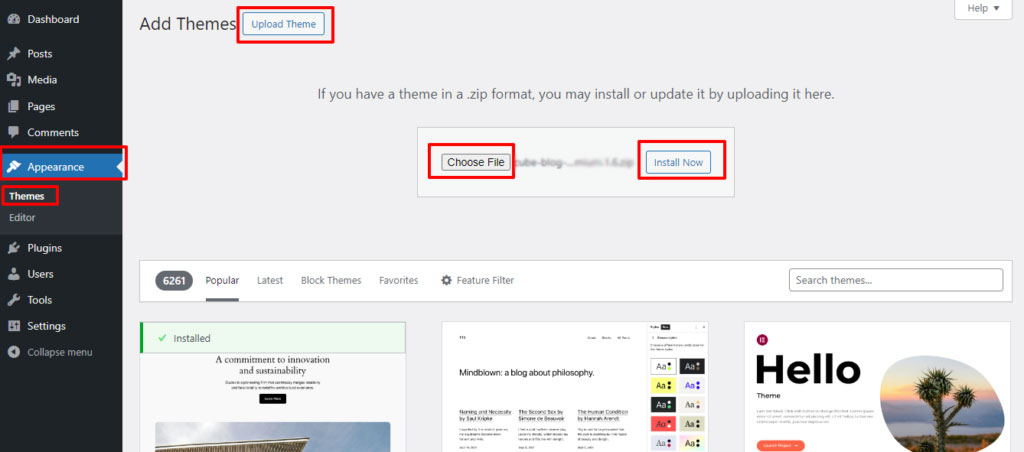
Theme Installation Go to Appearance – Themes. Click on Add New, click on Upload Theme. Click on Choose File. Select expose-blog-pro-premium.1.0.zip file and Click on Install Now. Click on Activate. Enter your license key. Doc navigation← Expose Blog ProColors → How can we help? Name Email Subject Message