Skip to content
  • Home
  • Free Themes
  • Premium Themes
  • Support
    • Privacy Policy
    • Terms & Conditions
    • Refund Policy
    • Documentation
  • Pricing
  • Contact
  • Home
  • Free Themes
  • Premium Themes
  • Support
    • Privacy Policy
    • Terms & Conditions
    • Refund Policy
    • Documentation
  • Pricing
  • Contact

Rubik Pro

⌘K
  • How to Install and Activate Theme?
  • How to Customize Top Header?
  • How to Setup Header Menu?
  • How to Setup Homepage Sections?
  • How to Setup Dark Mode/Lite Mode?
  • How to Change Colors?
  • How to Add Header Image?
  • How to Change Site Width?
  • How to Setup Sticky Header?
  • How to Change Sidebar Positions?
  • How to Change Post Content Length?
  • How to Disable Scroll To Top Icon?
  • How to Change Typography (Font Family)?
  • How to Change Footer Copyright?
  1. Home
  2. Rubik Pro
  3. How to Change Post Content Length?

How to Change Post Content Length?

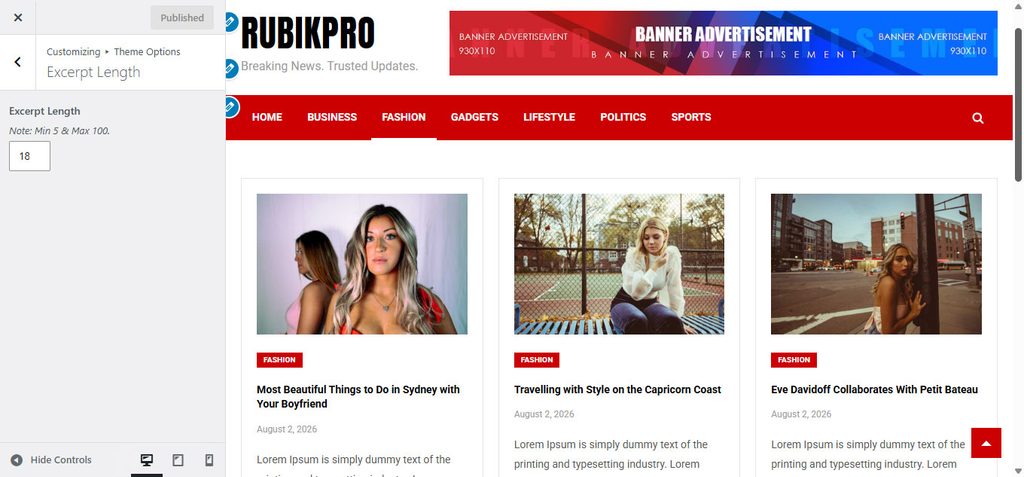
  • Go to Customizer – Theme Options – Excerpt Length.

Doc navigation

← How to Change Sidebar Positions?How to Disable Scroll To Top Icon? →
Still stuck? How can we help?
Updated on September 1, 2026
Was this article helpful to you? No Yes

How can we help?

Copyright © 2026 Kantipur Themes | All Rights Reserved.